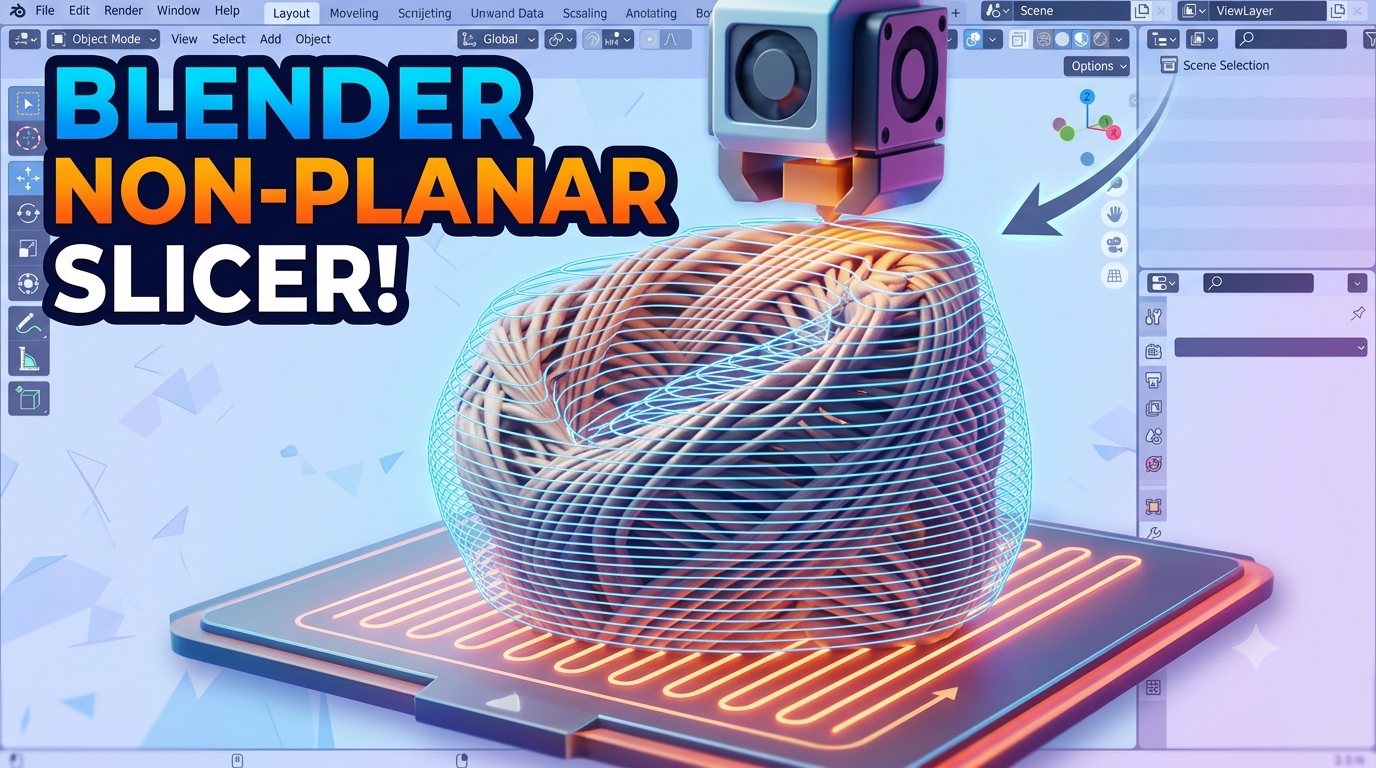
PROJECT / Vector Control Layer Variation: Nonplanar Slicer in Blender
Vector Control Layer Variation: Nonplanar Slicer in Blender
A Blender addon that imports G-code as editable geometry, lets you reshape the nozzle path, and exports it back to printable, nonplanar G-code.
Most desktop FDM prints are built from flat layers. Even when the model is curved, the printer usually moves in 2D contours, raises Z by a fixed amount, and repeats the process. This approach is reliable, easy to slice, and compatible with almost every machine, but it also creates the visual language we immediately recognize as 3D printing: horizontal layer lines, stair-stepped curves, and top surfaces that reveal the layer structure instead of the intended form.
Vector Control Layer Variation is my Blender addon for working directly with that problem.
The addon imports G-code as editable geometry, lets me reshape the nozzle path in Blender, and exports the modified motion back into printable G-code. The goal is not only to deform a model before slicing. The goal is to edit the actual printer movement after slicing, so the printhead can follow paths that are no longer locked to perfectly flat layers.
In other words, I wanted to turn G-code from a static machine file into something visible, editable, and creatively usable.
Why nonplanar printing
Nonplanar printing is one of those ideas that feels obvious once you see it. If a surface is curved, why should the printer approximate it with hundreds of flat steps? Why not let the nozzle follow the surface?
In research and advanced fabrication workflows, nonplanar printing is often used to improve surface quality, follow structural load paths, reduce support material, or print onto existing objects. There are impressive examples using robotic arms, custom slicers, multi-axis machines, and specialized printheads — and I'm lucky enough to work with those at my job. But I wanted to develop something that anyone with knowledge of a regular slicer and Blender can use.
On normal desktop printers, nonplanar printing is still not a standard workflow. Most slicers are designed around planar layers. Most printers are designed around a nozzle moving close to a flat build plane. And most consumer toolheads have limited clearance around the nozzle, which makes steep nonplanar motion risky.
That gap is what made this project interesting to me. I was not trying to build a full slicer from scratch. I wanted a toolpath-level sketchbook: something that could take a normal sliced file, expose the movements as geometry, and let me push them into more experimental forms.
How the addon works
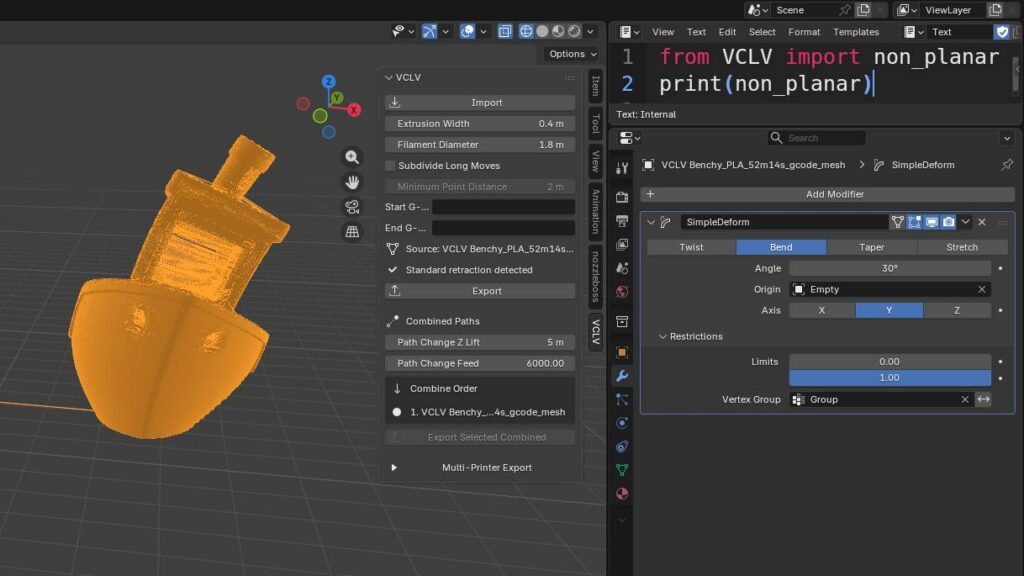
The addon parses .gcode files and reconstructs the printer moves as mesh geometry inside Blender. Extrusion moves become visible paths, and the addon keeps the original motion metadata attached to the Blender object.
It tracks things like:
- G0 and G1 movement
- X, Y, and Z positions
- absolute and relative positioning
- extrusion amount
- feed rate
- layer height
- standard retraction
- firmware retraction
- original G-code line mapping
This is important because the addon does not simply draw a curve and forget where it came from. It stores enough information to rebuild the modified G-code later. When I export, it evaluates the edited Blender mesh, reads the new vertex positions, recalculates the movement commands, and writes a new printable G-code file.
Once the path is inside Blender, I can use normal modeling tools on it: move points, bend the path, apply modifiers, subdivide long moves, shrinkwrap one path over another surface, or combine multiple imported paths into a single output.
That means Blender becomes a toolpath editor, not just a modeling tool.
Bent Benchy
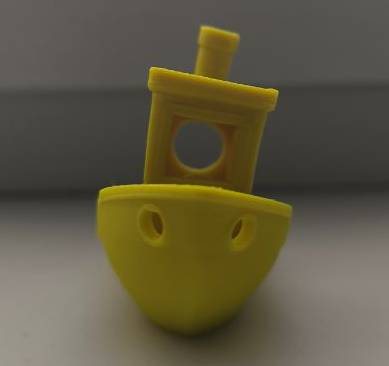
One of my first examples was a bent Benchy with true nonplanar movement.
Benchy is a familiar calibration object, so any change to the printing strategy is easy to see. Instead of simply bending the 3D model and slicing it normally, I worked with the generated toolpath itself. That distinction is important: a bent model sliced in the usual way still produces flat layers. In this case, the actual nozzle path was bent after slicing.
The toolpath was transformed directly in Blender. Once modified, the addon automatically recalculates the exported G-code, including updated extrusion values, travel moves, and Z lifts. This makes the workflow much more immediate: I can visually inspect the path, deform it with Blender tools, and export a printable result without manually rewriting thousands of G-code commands.
The bent Benchy became a proof of concept for the whole idea. It showed that the addon could take an ordinary sliced file and turn it into a nonplanar print with a relatively simple visual workflow. That is still difficult to achieve with most current options. Many existing experimental nonplanar workflows rely heavily on standalone Python scripts, which can be slow, abstract, and hard to debug visually. They may generate correct coordinates, but it is difficult to see, edit, and understand the toolpath as a designed object.
By using Blender as the editing environment, the toolpath becomes tangible. I can see the print motion in 3D, adjust it with familiar modeling operations, and immediately understand how the nozzle will move through space. For nonplanar printing, that visual feedback is not just convenient — it is one of the most important parts of making the process usable.
Cladding: a practical use case
The more practical example is toolpath cladding.
This workflow combines two toolpaths:
- A regular sliced print that creates the main structure.
- A second single-layer toolpath that is shrinkwrapped over the original part.
The second path behaves like a surface skin. Instead of relying only on the top layers produced by the slicer, I can generate a thin nonplanar cladding pass that follows the curved top surface of the object.
This is especially useful on low, shallow curved top surfaces, where normal planar slicing creates very visible contour lines. Those surfaces are often difficult for FDM printing because the vertical height changes slowly across a wide area. The slicer represents that curve as many flat terraces, and the layer lines become very visible.
With cladding, the base print provides the structure and dimensional stability. Then the second toolpath acts like a controlled surface finish. It can follow the curvature more naturally, reduce the appearance of stepping, and create a cleaner visual surface.
I like this workflow because it does not require replacing the entire slicing process. It uses the slicer for what it is good at, then adds a more experimental toolpath on top. That makes it a practical bridge between standard desktop FDM printing and more advanced robotic fabrication workflows.
It also opens up other possibilities. The cladding layer does not have to only hide layer lines. It could be used for decorative surface textures, directional material effects, localized reinforcement, surface repair, or printing onto an already existing object.
Multi-path and multi-printer workflow
This is useful for the cladding workflow because the regular body path and the surface path can be treated as separate toolpaths inside Blender, then exported together. The addon can insert safe travel moves between selected paths, so the printer can move from one modified path to another without dragging through the part.
The latest version includes:
- G-code import as editable Blender geometry
- Export of modified paths back to G-code
- Optional subdivision of long moves for smoother deformation
- Detection of standard and firmware retraction
- Combining multiple imported paths into one print
- Safe travel moves between combined paths
- Multi-printer export profiles
- Custom start and end G-code
Current state of the art
Nonplanar printing is in a strange and exciting place right now.
The concept is not new. It appears in academic research, custom fabrication systems, robotic 3D printing, and experimental slicers. There are many demonstrations showing better surface quality, curved-layer reinforcement, support-free printing strategies, and printing onto non-flat substrates.
But for everyday desktop printing, it is still not widely available as a normal workflow. Most users still slice models into flat layers because that is what the software, hardware, and machine profiles are optimized for.
There are good reasons for this. Nonplanar printing is not only a software problem. It is also a collision problem, a hardware geometry problem, and a material behavior problem. A toolpath can look perfect on screen and still fail because the heater block hits the part, the fan duct collides with a raised surface, the nozzle cannot maintain a clean bead on a steep slope, or the machine firmware behaves differently than expected.
That is why I see this addon as an experimental layer between slicing and printing. It lets me ask questions quickly:
- What happens if the top surface is printed as one flowing path?
- Can a second skin hide layer stepping?
- Can a normal sliced object receive a custom nonplanar finish?
- Can decorative texture be applied at the toolpath level?
- How far can a regular desktop printer go before toolhead clearance becomes the main limitation?
- Can nonplanar motion be added locally instead of requiring a full nonplanar slicer?
For small, controlled experiments, this approach is surprisingly powerful.
Limitations
The biggest limitation is physical clearance.
A standard desktop FDM printer can move in X, Y, and Z at the same time, so true nonplanar movement is mechanically possible. The problem is the shape of the toolhead. The nozzle usually extends only a small distance below the heater block, fan duct, or silicone sock. On steep slopes, curved surfaces, or already printed geometry, the rest of the toolhead can collide with the part. So a printer with at least one additional axis would benefit from this workflow the most.
I tested this workflow on my Bambu Lab P2S, and it works, but the usable range is constrained by that clearance. Shallow curves and surface cladding are much more realistic than extreme nonplanar forms.
Other limitations include:
- Collision checking is not fully automated.
- The workflow still starts from ordinary sliced G-code.
- Travel moves need to be handled carefully.
- Retraction behavior depends on the original slicer output.
The hardware side could be improved with a longer nozzle, a slimmer hotend assembly, or a toolhead designed specifically for better nonplanar clearance. Even a modest increase in exposed nozzle length would expand the range of printable surface angles.
Why this matters
What excites me about this project is that it makes advanced toolpath ideas approachable on normal machines with completely free software.
Vector Control Layer Variation makes the printer path visible. It lets me edit machine movement with Blender tools. It makes experiments like bent Benchy prints and shrinkwrapped surface cladding possible without writing a full slicer from scratch.
The current version is a working prototype and personal production tool. It is still experimental, but it points toward a practical idea: nonplanar printing does not have to start with exotic hardware. With careful toolpath editing, controlled geometry, and respect for clearance limits, it can already be explored on standard desktop printers today.
If you'd like to try the addon yourself, just get in touch through social media and I'll send you the latest build.
Inspiration
This project is directly inspired by Nozzle Boss by Heinz Loepmeier. Nozzle Boss is one of the clearest examples I found of using Blender as a real toolpath editing environment for 3D printing. It imports G-code, converts the printer path into editable mesh geometry, allows the path to be modified with Blender tools, and exports it back to G-code.
That idea was important for this project: G-code does not have to stay as an unreadable text file after slicing. It can become geometry again. It can be inspected, sculpted, transformed, colored, and treated as part of the design process.
Vector Control Layer Variation builds on that inspiration, but I developed it around a more specific workflow: using already-sliced G-code as a base for controlled nonplanar experiments. My addon is focused on post-slicing deformation, cladding, combining multiple toolpaths, and exporting printer-specific versions of the same modified path.