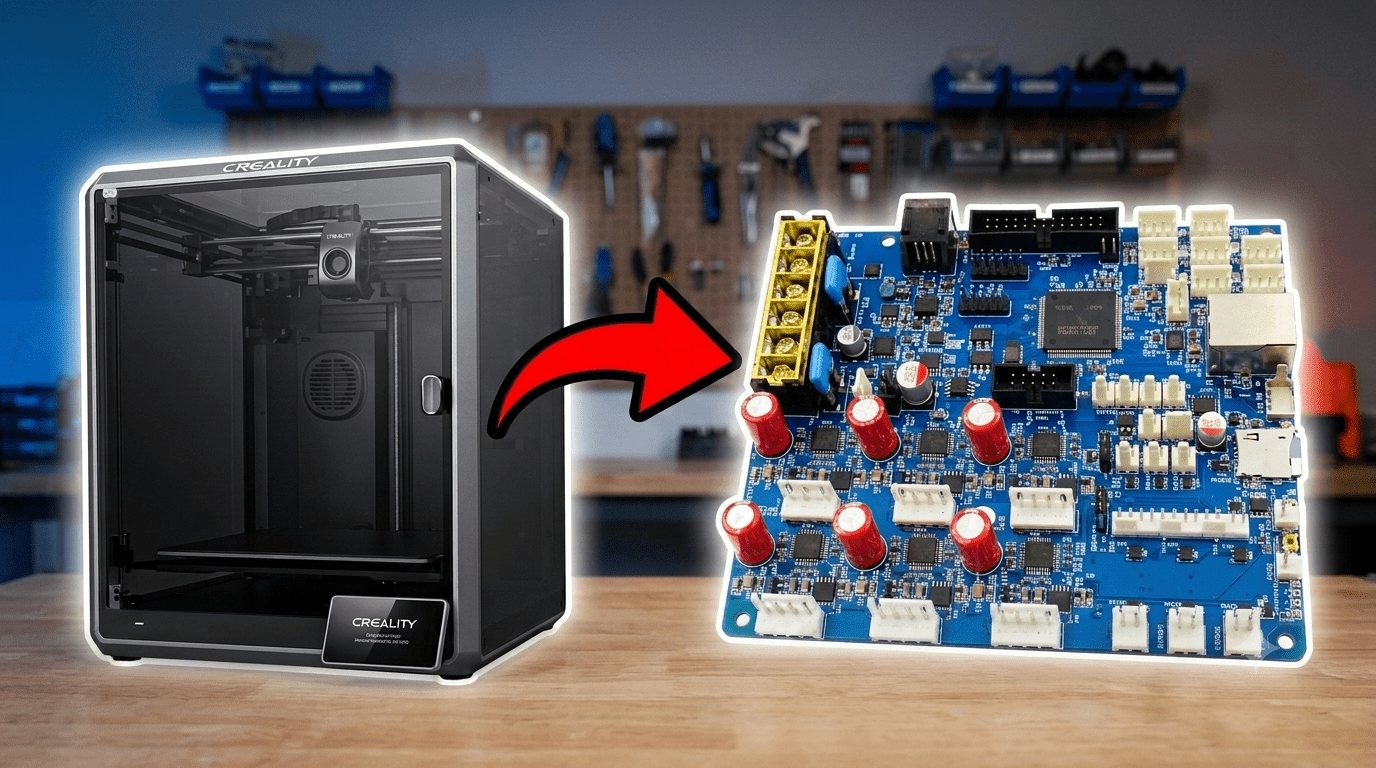
PROJECT / 3D Printer RepRap Conversion
3D Printer RepRap Conversion
Converting a Creality K1 from stock firmware to RepRap Firmware on a Duet 3 board — a CoreXY test bed for a future pellet-fed, high-temperature printer.
I needed a control system that could handle high-temperature engineering polymers — materials that most stock consumer printers, and the firmware running them, simply aren't built for. The end goal isn't the K1 itself; it's a pellet-fed printer for advanced, high-melt-point polymers where filament isn't a realistic option and off-the-shelf firmware doesn't give me the level of control I need over temperature, extrusion, and layer adhesion.
Rather than designing a controller from zero, I decided to build on an open, well-documented platform and adapt it. That meant three separate decisions: which firmware, which mainboard, and which machine to actually learn and test on before touching anything expensive.
Firmware. I compared Marlin, Klipper, and RepRap Firmware (RRF). RRF won for a simple reason: native STM32 support means no Linux host is required. That removes an entire layer of complexity — and an entire class of failure modes — compared to Klipper's host-plus-MCU architecture. RRF also has deep, well-maintained support across Duet 3D's whole board ecosystem, which matters if this project grows into multi-tool or tool-changing territory later, which is very much on the table.
Hardware. I settled on:
- 1x Duet 3 Main Board 6HC — the core controller
- 1x Duet 3 Expansion Board 1XD — to eventually drive the pellet extruder's stepper (it needs 48V, which the 6HC's onboard driver stages don't provide)
- 2x PT100 daughterboards — for accurate high-temperature sensing on the pellet extruder, since standard thermistors run out of range
- An 8GB SD card, kept spare purely so I could switch back to standalone mode without risk
I picked up a Creality K1 purely as a test bed. It's CoreXY, cheap, and structurally close enough to the target machine that lessons learned here would actually transfer. The plan from the start was: learn everything on the K1, document the disassembly so it can go back to stock if needed, and then apply the same process to the real printer.
Getting to know the stock machine first
Before I touched a single screw, I ran the K1 completely stock. That's a step I think is easy to skip and shouldn't be — you can't tell whether your conversion actually improved anything if you never established a baseline.
I assembled it per the manual, fixed a couple of minor extruder issues that showed up during setup, and printed the stock benchy.
With the baseline established, I printed a few functional parts to prepare for the actual conversion: a jig to hold the Duet 3 board steady while wiring it, and a relocated spool holder (the stock one mounts from the back, which I didn't want since it forces the printer away from the wall).
I also ran a calibration cube to check the machine's real dimensional accuracy while it was still in its original, known-good state:
| Axis | Requested (mm) | Measured (mm) |
|---|---|---|
| X | 20 | 20 |
| Y | 20 | 19.9 |
| Z | 20 | 20.1 |
Taking it apart
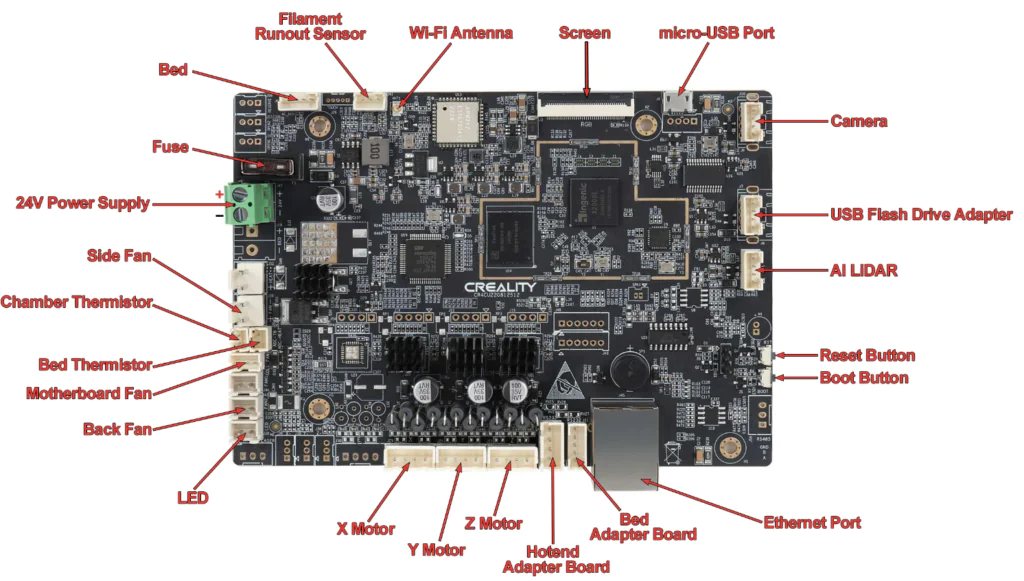
My primary objective at this stage was to systematically dismantle the K1 while documenting every step, so the whole process could be reversed if the Duet swap didn't pan out. That meant photographs, written notes, and labelled parts for every connector and cable — tedious, but the kind of tedious that saves you a very bad afternoon later.
A few things worth noting for anyone doing this:
- Pin pitch on the K1's motherboard connectors is either 1.5mm or 2.5mm (JST XH) — worth knowing before you go shopping for replacement connectors or breakout adapters.
- Fan 2 on the stock board is the rear fan — not obvious from the outside.
- I kept a full photo record of the original wiring specifically so the printer could be returned to its stock control system later if needed.
Reconstructing the machine's parameters
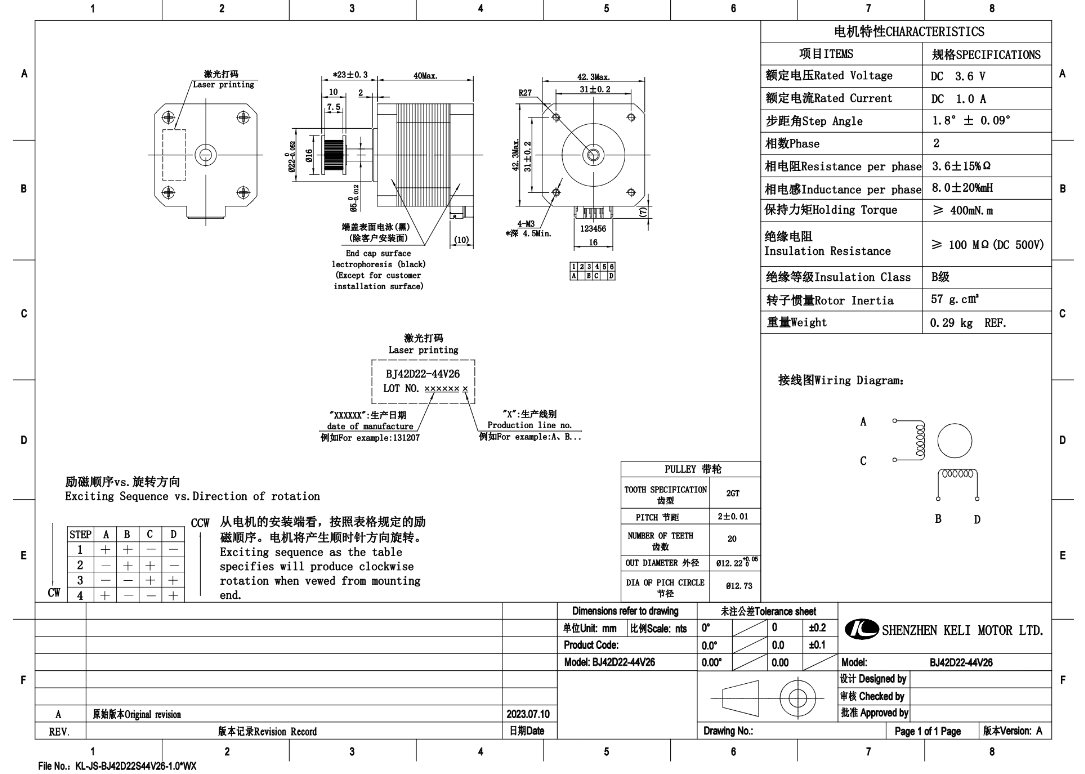
This was the least glamorous and most important part of the whole project. None of the K1's actual operating parameters ship anywhere obvious — no datasheet, no printer.cfg you can just read. I had to reconstruct them from a mix of physical measurement, the RepRap configuration tool, and community-sourced stock config files where Creality's own defaults weren't published anywhere official.
The list of things I needed, before the Duet config would even make sense:
- Maximum speed, acceleration, and jerk values
- Extrusion multiplier
- Z offset
- Fan speeds
- Endstop type (microswitch, optical, hall effect, or motor stall) and position
- Temperature sensor type — thermistor, PT100, PT1000, or Type-K thermocouple, plus thermistor table values if using a thermistor
- Max temperature for bed and hot end
- Gear ratios for the extruder and Z axis
For X and Y I started conservatively at 800mA and worked upward while tracking behavior, cross-referencing against a figure of 1500mA found in a community-maintained GitHub repo of stock K1 configs. For Z, steps/mm came out to 1280, derived from an 8mm lead screw with a 20:64 gear ratio — I couldn't find this published anywhere, so I set an estimate and recalculated after physical testing (more on that process below). Max speed-change values were set proportionally to the X/Y axis speeds as a starting point rather than guessed independently.
The thermistor turned out to be an EPCOS 100K B57560G104F — a detail that matters because getting the wrong thermistor table gives you temperature readings that are confidently wrong, which is worse than not having a reading at all.
Wiring the Duet in
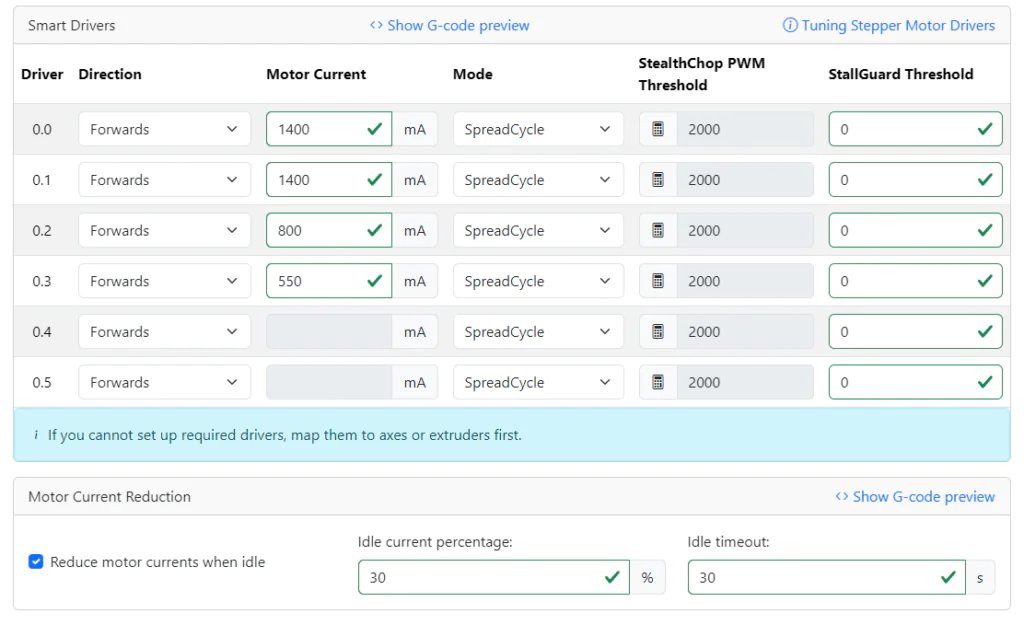
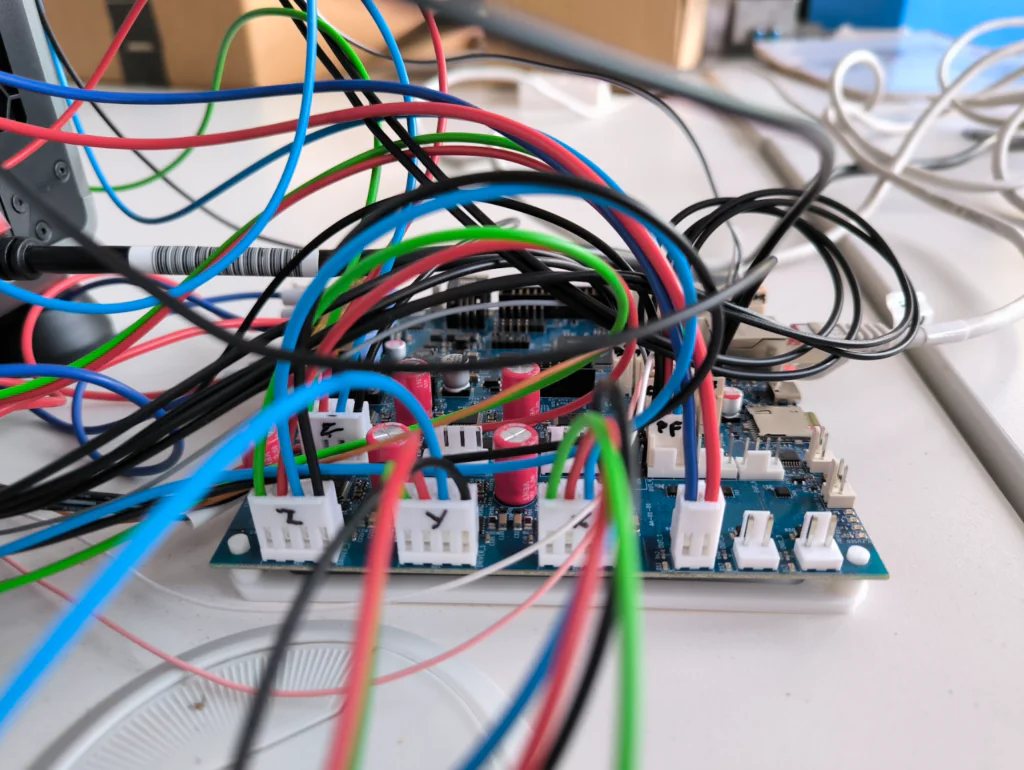
Initial setup is simple in theory: USB-C to the computer for power and first communication, install the Duet drivers, then move to Ethernet for ongoing use. My board has no built-in Wi-Fi, and the workshop router wasn't within reach, so I used a wired direct connection instead — which just means adding the right lines to config.g:
M552 P192.168.2.1 S1 ; IP address (PC IPv4 set to 192.168.1.10)
M553 P255.255.255.0 ; Subnet mask
From there, Duet Web Control becomes the main interface — I used a terminal program (YAT) over serial initially, configured for <LF> line endings, and sent M115 to confirm and update the firmware version before doing anything else.
Axes and the CoreXY
Each axis on the K1 is driven by a single stepper — no dual Z motors to worry about here. But CoreXY printers use both X and Y motors together for movement on either axis, which has a direct and non-obvious consequence for homing.
On a Cartesian machine you can home an axis independently using G1 H2, which allows movement without requiring the axis to already be homed. On CoreXY, that same command drives a diagonal move of the nozzle instead of a clean single-axis move — because it's only actually moving one motor, not compensating the second one. Homing has to explicitly drive both motors together through G1 H1, and the kinematics work out to a simple matrix:
1.00  1.00  0
1.00 -1.00  0
0     0     1.00
Here's the homing routine I ended up with for X (Y is the same, swapped):
; homex.g
; called to home the X axis
M400 ; wait for current moves to finish
M913 X70 Y70 ; drop motor current to 70%
M400
G91 ; relative positioning
G1 H1 X-320.5 F10000 ; move quickly to X endstop and stop (first pass)
G1 X20 F12000 ; back off a few mm
G1 H1 X-320.5 F6000 ; move slowly to X endstop again (second pass)
G1 X10 F12000 ; back off a few mm
G90 ; absolute positioning
M400
M913 X100 Y100 ; return current to 100%
M400
The double-pass approach (fast strike, back off, slow strike) is standard practice, but it matters more on CoreXY than people expect — a single fast pass gives you a noticeably less repeatable home position.
Z is simpler in principle (it's not coupled to another axis) but I initially tried sensorless homing on it anyway, largely because it meant one less part to install. That turned out to be a mistake — imprecise enough that it damaged the bed during testing, even after carefully tuning the stall-detection sensitivity with M915. Z needed a real endstop, which is what eventually led to installing a proper Z-probe.
Stepper wiring deserves its own warning: each motor has two coils, and the order they're wired in determines direction — swap it and the motor just runs backwards. Get the polarity of a coil wrong, though, and you risk actually damaging the motor or the board. The safe way to check before connecting anything is a multimeter: the two wires belonging to a given coil will read a resistance value together; unconnected/mismatched pairs read zero.
Fans and thermistors
Two-pin fans were the easy part — no real issues, and polarity doesn't matter for a simple two-pin fan; get it backwards and it just won't spin, no damage done. Thermistors (the non-PT100 kind) were similarly uneventful — no polarity concerns there either.
Heated bed
This is the one point in the whole build where I'd tell someone to genuinely slow down. The bed circuit runs at meaningfully higher voltage and current than the rest of the system, and on the Duet 6HC the bed needs its own separate power connection — the board's general VIN pins that power everything else don't power the bed. Mixing that up is exactly the kind of mistake that damages a board.
Before you can even set a bed temperature, the heater needs to be tuned:
M303 H0 S60 ; tune heater 0 (bed) to 60°C
This is slow — on the K1 it took about 90 minutes. Once it finishes, the result needs to be read from the Console panel in Duet Web Control and manually written into the M307 line in config.g. Skip this step and you'll get an error the moment you try to actually heat the bed.
Extruder
The extruder was the one component I couldn't test in isolation — everything had to be wired up together from the start before any of it would respond. Its heater is tuned the same way as the bed, just with the fan installed to match real operating conditions:
M303 H1 S60
Steps/mm for the extruder needed a proper calibration pass rather than a guess, following this procedure:
- Start from a reasonable guess based on the hardware — 400 steps/mm was a sensible starting point.
- Heat the hot end (or disconnect the extruder motor from it) and send M564 H0 to allow cold extrusion for calibration.
- Mark the filament and measure the distance from the extruder intake — call this A.
- Extrude a known amount, less than A — call this E.
- Measure the new distance from the intake — call this B.
- Calculate the corrected steps/mm:
S_new = S_old · (E / (A − B)) - Update M92 in config.g with the new value.
The same proportional-correction logic applies to X/Y/Z calibration later, using a printed calibration cube instead of a filament mark: X_new = X_old · (destined dimension / actual dimension).
Slicer setup
Before any of this is useful, the slicer needs to actually speak RepRap Firmware. I used PrusaSlicer 2.8.0, with these changes:
- Printers → General → Firmware → G-code flavor: RepRapFirmware
- Printers → General → Advanced → Use relative E distances: enabled
- Printers → Machine limits → General → How to apply limits: "Use for time estimate" — otherwise PrusaSlicer overrides the speed/acceleration/jerk values already set in config.g
Start and end G-code needed adjusting too:
; Start G-code
;G28 ; home all axes (once proper Z sensor is installed)
G1 Z5 F5000 ; lift nozzle
T0

; End G-code
M104 S0 ; turn off temperature
G91 ; relative coordinates
G1 Z5 F5000 ; lift the nozzle
; M84 ; disable motors
Getting the first layer actually right
This turned out to be the most iterative, most fiddly part of the whole conversion — more so than firmware or wiring.
The stock K1 homes Z using load cells under the heated bed. Getting the Duet to talk to that same set of load cells wasn't worth the effort involved, so I replaced it entirely with a dedicated Z-probe, mounted to the print head via a custom bracket, wired into an IO header on the mainboard.
The relevant config.g lines:
M574 Z1 S2 ; home Z using the probe
M558 P8 C"io1.in" H5 F120 T3000 ; Z-probe type and speeds
G31 X-32 Y-7 Z2.807 ; probe offset relative to the nozzle
M557 X5:185 Y5:195 P20 ; probing grid
M376 H10 ; taper height for mesh compensation
One easy mistake here: the probing grid coordinates are defined relative to the probe's position (nozzle position plus offset), not the nozzle itself — get that backwards and the mesh silently samples the wrong area.
A genuine warning from experience: if you're using the Z-probe as your homing endstop, make sure you never start below the probe's trigger height, or the head will crash straight into the bed. It's worth adding an upward move at the very start of the homing routine as cheap insurance:
M400 ; wait for current moves to finish
M913 Z70 ; drop Z motor current to 70%
M400
G91 ; relative positioning
G1 H2 Z5 ; lift a safe distance (H2 = can move before homed)
G90 ; absolute positioning
G1 X105 Y105
G30 ; probe
M400
M913 X100 Y100 ; return current to 100%
M400
Even with the probe correctly installed, the bed itself was tilted enough that a single Z-offset wasn't enough for a consistent first layer. The fix was a full mesh: G29 S0 from the Send Code line in Duet Web Control.
Accelerometer and input shaping
With the base system reliable, I added an accelerometer purely to chase print quality. It measures vibration during motion, which lets the firmware pre-compensate for the printer's own natural oscillation — the ringing and ghosting you see as faint repeated patterns near sharp features.
It's wired to the temperature daughterboard pins and configured in config.g with its physical orientation:
M955 P0 C"spi.cs1+spi.cs0" I01
Once configured, Duet's input shaping plugin walks through selecting the best-performing shaper, which then gets locked in with M593.
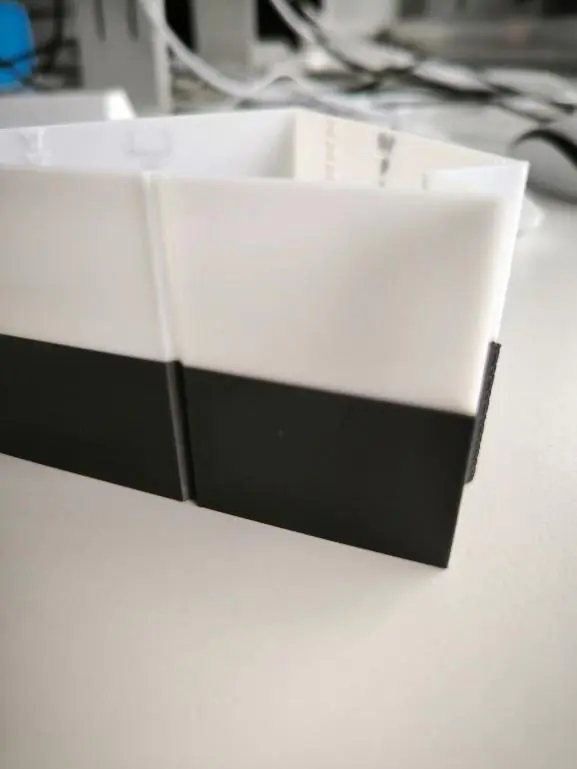
The result on the K1 was a genuinely large jump: acceleration went from 6,000mm/s² to 12,000mm/s² with no visible loss in quality, while top speed and max jerk (around 35mm/s) stayed exactly where they were. The comparison print makes it obvious — visible ringing on the white part, gone entirely on the black one:
Notes I made for the final build
- Choose fans that support real PWM speed control. The Duet drives fans via PWM, but plenty of stock fans only respond to voltage control and will just run at 100% regardless of what you send — you lose a genuinely useful tuning axis if you don't check this up front.
- On a CoreXY machine, use identical motors for X and Y. It keeps the kinematics simple and makes calibration far less error-prone.